
Chapter 119
10.7 Deploying TensorFlow models to Kubernetes
10.7 Deploying TensorFlow models to Kubernetes
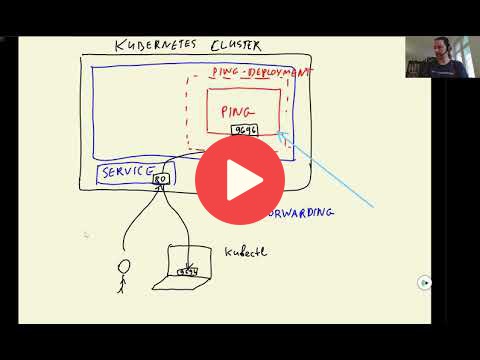
In this section we'll deploy the tf-serving model to kubernetes. In order to do that we'll create a separate folder kube-config and implement the following steps:
- Create deployment for the tf-serving model
model-deployment.yaml:-
yaml
apiVersion: apps/v1 kind: Deployment metadata: name: tf-serving-clothing-model spec: replicas: 1 selector: matchLabels: app: tf-serving-clothing-model template: metadata: labels: app: tf-serving-clothing-model spec: containers: - name: tf-serving-clothing-model image: zoomcamp-10-model:xception-v4-001 resources: limits: memory: "512Mi" cpu: "0.5" ports: - containerPort: 8500 - Load the model image to kind:
kind load docker-image clothing-model:xception-v4-001 - Create model deployment:
kubectl apply -f model-deployment.yaml - Get the running pod id for the model:
kubectl get pod - Test the model deployment using the pod id:
kubectl port-forword tf-serving-clothing-model-85cd6dsb6-rfvg410m 8500:8500and rungateway.pyscript to get the predictions.
-
- Create service of tf-serving model
model-service.yaml:-
yaml
apiVersion: v1 kind: Service metadata: name: tf-serving-clothing-model spec: type: ClusterIP # default service type is always ClusterIP (i.e., internal service) selector: app: tf-serving-clothing-model ports: - port: 8500 targetPort: 8500 - Create model service:
kubectl apply -f model-service.yaml - Check the model service:
kubectl get service. - Test the model service:
kubectl port-forward service/tf-serving-clothing-model 8500:8500and rungateway.pyfor predictions.
-
- Create deployment for the gateway
gateway-deployment.yaml:-
yaml
apiVersion: apps/v1 kind: Deployment metadata: name: gateway spec: selector: matchLabels: app: gateway template: metadata: labels: app: gateway spec: containers: - name: gateway image: zoomcamp-10-gateway:002 resources: limits: memory: "128Mi" cpu: "100m" ports: - containerPort: 9696 env: # set the environment variable for model - name: TF_SERVING_HOST value: tf-serving-clothing-model.default.svc.cluster.local:8500 # kubernetes naming convention - Load the gateway image to kind:
kind load docker-image clothing-model-gateway:002 - Create gateway deployment
kubectl apply -f gateway-deployment.yamland get the running pod idkubectl get pod - Test the gateway pod:
kubectl port-forward gateway-6b945f541-9gptfd 9696:9696and executetest.pyfor getting predictions.
-
- Create service of tf-serving model
gateway-service.yaml:-
yaml
apiVersion: v1 kind: Service metadata: name: gateway spec: type: LoadBalancer # External service to communicate with client (i.e., LoadBalancer) selector: app: gateway ports: - port: 80 # port of the service targetPort: 9696 # port of load balancer - Create gateway service:
kubectl apply -f gateway-service.yaml - Get service id:
kubectl get service - Test the gateway service:
kubectl port-forward service/gateway 8080:80and replace the url ontest.pyto 8080 to get predictions.
-
Links
- Article to come over load balancing problem in production: https://kubernetes.io/blog/2018/11/07/grpc-load-balancing-on-kubernetes-without-tears/
Notes
Add notes from the video (PRs are welcome)
- tensorflow serving in C++, gateway service as flask app
- gateway service: image preprocessing (i.e. resizing), prepare matrix, numpy arr, convert to protobuf, gRPC to communicate with tensorflow serving; postprocessing
- using telnet to check kubernetes pod