
Chapter 08
1.7 Introduction to NumPy
1.7 Introduction to NumPy
Notes
Understanding Numpy: A Simple Introduction
Numpy, short for Numerical Python, is a powerful Python library that enables efficient and convenient array manipulation and mathematical operations. It forms the foundation for many scientific and data-related tasks. In this article, we'll provide a straightforward explanation of Numpy concepts and how to use them.
Importing Numpy
Before diving into Numpy's capabilities, we need to import it. Conventionally, we import Numpy with the alias np, making it easier to reference its functions:
import numpy as npCreating Arrays
Arrays are the building blocks of Numpy, and they can be thought of as lists but with enhanced features.
Creating Arrays with Zeros, Ones, or Constants
You can create arrays filled with zeros, ones, or any constant using np.zeros(), np.ones(), and np.full():
zeros_array = np.zeros(10)
ones_array = np.ones(10)
constant_array = np.full(10, 3)
Converting Lists to Arrays
To convert a Python list into a Numpy array, you can use np.array():
my_list = [2, 3, 4]
array_from_list = np.array(my_list)
Generating Ranges of Numbers
Numpy provides functions for generating arrays of sequential numbers. For example:
range_array = np.arange(10) # Creates an array from 0 to 9Creating Arrays with Linear Spacing
np.linspace() creates arrays with evenly spaced numbers within a specified range:
linspace_array = np.linspace(0, 1, 11) # Creates 11 numbers from 0 to 1Multi-dimensional Arrays
Numpy can handle multi-dimensional arrays, often referred to as matrices. Here are some examples:
zeros_matrix = np.zeros((5, 2))
ones_matrix = np.ones((5, 2))
constant_matrix = np.full((5, 2), 3)
Indexing and Slicing Arrays
Like Python lists, you can access elements in Numpy arrays using indexing and slicing. For two-dimensional arrays:
arr = np.array([[2, 3, 4], [4, 5, 6]])
first_row = arr[0]      # Gets the first row
first_col = arr[:, 0]  # Gets the first column
Generating Random Arrays
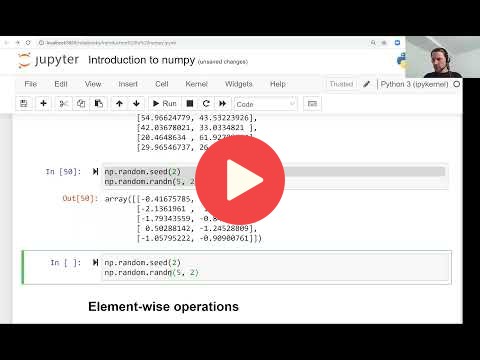
Numpy can create arrays filled with random numbers. To ensure reproducibility, you can set a seed using np.random.seed():
np.random.seed(2)  # Set the seed
random_array = np.random.rand(5, 2)  # Generates random numbers between 0 and 1
For random numbers from a normal distribution or integers within a range:
normal_distribution = np.random.randn(5, 2)
random_integers = np.random.randint(low=0, high=100, size=(5, 2))
Array Operations
Numpy excels in performing mathematical operations on arrays efficiently.
Element-wise Operations
You can perform operations on entire arrays element by element:
arr = arr + 1   # Adds 1 to each element
arr = arr * 2   # Multiplies each element by 2
# Similar operations for division and exponentiation
Element-wise Operations with Two Arrays
You can also perform operations between two arrays of the same shape:
arr1 = np.ones(4)
arr2 = np.full(4, 3)
result = arr1 + arr2  # Element-wise addition
result = arr1 / arr2  # Element-wise division
Comparison Operations
You can perform element-wise comparisons and create boolean arrays:
arr = np.array([1, 2, 3, 4])
greater_than_2 = arr > 2  # Produces [False, False, True, True]
Selecting Elements Based on Conditions
You can create subarrays based on certain conditions:
selected_elements = arr[arr > 1] # Gets elements greater than 1Summary Operations
Numpy provides functions for summarizing array data:
min_value = arr.min()    # Minimum value
max_value = arr.max()    # Maximum value
sum_value = arr.sum()    # Sum of all elements
mean_value = arr.mean()  # Mean (average) value
std_deviation = arr.std()  # Standard deviation
In conclusion, Numpy is an essential library for anyone working with numerical data in Python. It simplifies array creation, manipulation, and mathematical operations, making it a powerful tool for scientific computing and data analysis. With the basics covered in this article, you're well on your way to harnessing Numpy's capabilities.
- Notes from Peter Ernicke - Part 1/3
- Notes from Peter Ernicke - Part 2/3
- Notes from Peter Ernicke - Part 3/3