
Chapter 64
GitHub Models - 限量公开测试版
GitHub Models - 限量公开测试版
欢迎使用 GitHub Models!我们已经准备好让你探索托管在 Azure AI 上的 AI 模型。
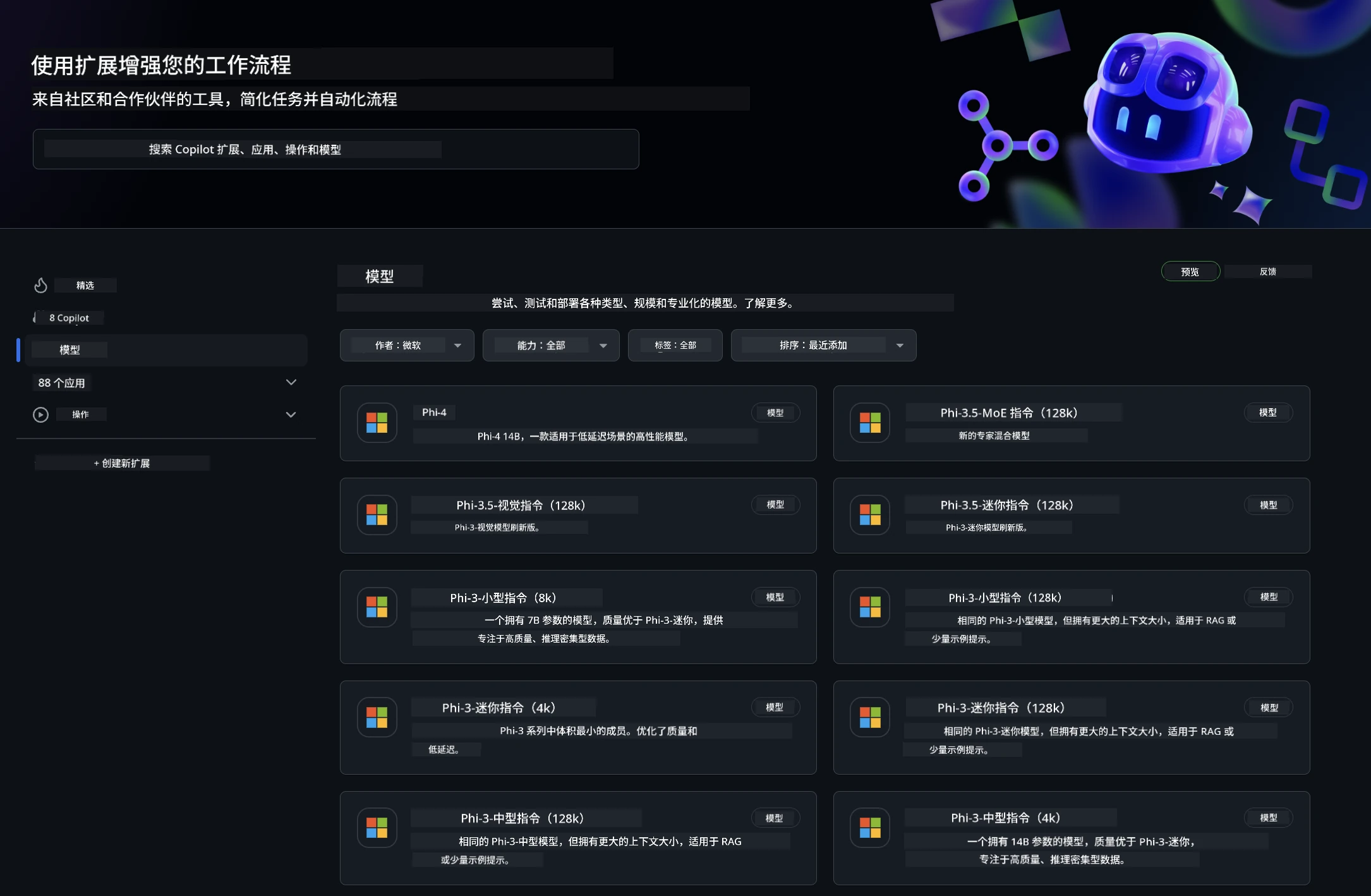
想了解更多关于 GitHub Models 上可用模型的信息,请访问 GitHub Model Marketplace
可用模型
每个模型都有专属的演示环境和示例代码

GitHub Model Catalog 中的 Phi-3 模型
快速开始
这里有一些基础示例,已经准备好供你运行。你可以在 samples 目录中找到它们。如果你想直接使用你喜欢的语言,可以在以下语言中找到示例:
- Python
- JavaScript
- cURL
此外,还有专门的 Codespaces 环境用于运行示例和模型。
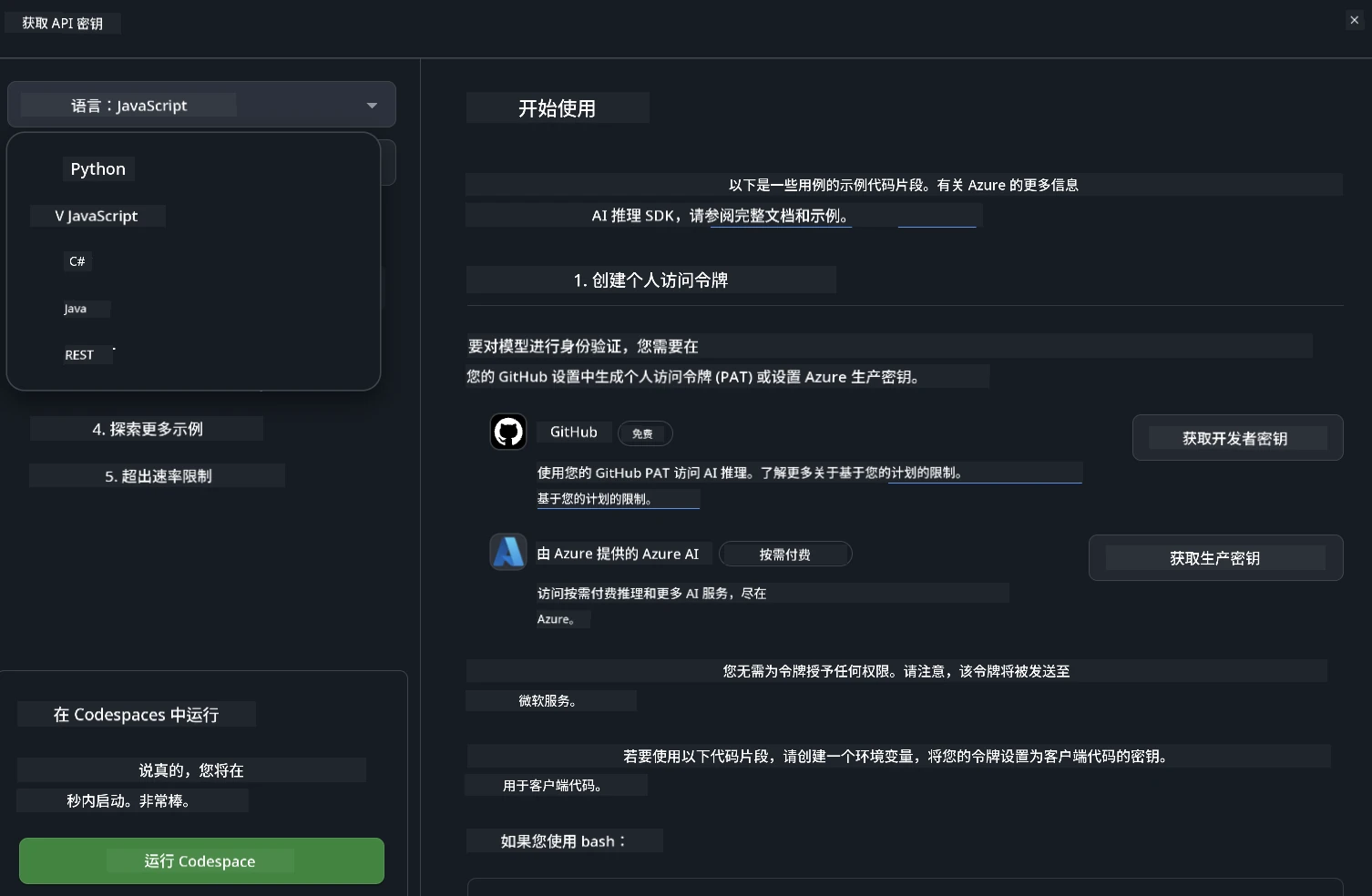
示例代码
下面是几个使用场景的示例代码片段。有关 Azure AI Inference SDK 的更多信息,请参阅完整文档和示例。
设置
- 创建个人访问令牌
你无需为令牌赋予任何权限。请注意,令牌会发送到微软服务。
要使用下面的代码片段,请创建一个环境变量,将你的令牌设置为客户端代码的密钥。
如果你使用 bash:
export GITHUB_TOKEN="<your-github-token-goes-here>"如果你使用 powershell:
$Env:GITHUB_TOKEN="<your-github-token-goes-here>"如果你使用 Windows 命令提示符:
set GITHUB_TOKEN=<your-github-token-goes-here>Python 示例
安装依赖
使用 pip 安装 Azure AI Inference SDK(要求:Python >=3.8):
pip install azure-ai-inference运行基础示例代码
此示例演示了对聊天完成 API 的基本调用。它使用了 GitHub AI 模型推理端点和你的 GitHub 令牌。调用是同步的。
import os
from azure.ai.inference import ChatCompletionsClient
from azure.ai.inference.models import SystemMessage, UserMessage
from azure.core.credentials import AzureKeyCredential

endpoint = "https://models.inference.ai.azure.com"
# Replace Model_Name
model_name = "Phi-3-small-8k-instruct"
token = os.environ["GITHUB_TOKEN"]

client = ChatCompletionsClient(
    endpoint=endpoint,
    credential=AzureKeyCredential(token),
)

response = client.complete(
    messages=[
        SystemMessage(content="You are a helpful assistant."),
        UserMessage(content="What is the capital of France?"),
    ],
    model=model_name,
    temperature=1.,
    max_tokens=1000,
    top_p=1.
)

print(response.choices[0].message.content)
运行多轮对话
此示例演示了与聊天完成 API 的多轮对话。当你在聊天应用中使用模型时,需要管理对话历史,并将最新消息发送给模型。
import os
from azure.ai.inference import ChatCompletionsClient
from azure.ai.inference.models import AssistantMessage, SystemMessage, UserMessage
from azure.core.credentials import AzureKeyCredential

token = os.environ["GITHUB_TOKEN"]
endpoint = "https://models.inference.ai.azure.com"
# Replace Model_Name
model_name = "Phi-3-small-8k-instruct"

client = ChatCompletionsClient(
    endpoint=endpoint,
    credential=AzureKeyCredential(token),
)

messages = [
    SystemMessage(content="You are a helpful assistant."),
    UserMessage(content="What is the capital of France?"),
    AssistantMessage(content="The capital of France is Paris."),
    UserMessage(content="What about Spain?"),
]

response = client.complete(messages=messages, model=model_name)

print(response.choices[0].message.content)
流式输出
为了更好的用户体验,你可以流式传输模型的响应,这样第一个 token 会更早出现,避免长时间等待完整响应。
import os
from azure.ai.inference import ChatCompletionsClient
from azure.ai.inference.models import SystemMessage, UserMessage
from azure.core.credentials import AzureKeyCredential

token = os.environ["GITHUB_TOKEN"]
endpoint = "https://models.inference.ai.azure.com"
# Replace Model_Name
model_name = "Phi-3-small-8k-instruct"

client = ChatCompletionsClient(
    endpoint=endpoint,
    credential=AzureKeyCredential(token),
)

response = client.complete(
    stream=True,
    messages=[
        SystemMessage(content="You are a helpful assistant."),
        UserMessage(content="Give me 5 good reasons why I should exercise every day."),
    ],
    model=model_name,
)

for update in response:
    if update.choices:
        print(update.choices[0].delta.content or "", end="")

client.close()
JavaScript
安装依赖
安装 Node.js。
复制以下内容并保存为文件 package.json,放在你的文件夹内。
{
  "type": "module",
  "dependencies": {
    "@azure-rest/ai-inference": "latest",
    "@azure/core-auth": "latest",
    "@azure/core-sse": "latest"
  }
}
注意:只有在流式传输聊天完成响应时才需要 @azure/core-sse。
在该文件夹打开终端,运行 npm install。
对于下面的每个代码片段,将内容复制到 sample.js 文件中,然后用 node sample.js 运行。
运行基础示例代码
此示例演示了对聊天完成 API 的基本调用。它使用了 GitHub AI 模型推理端点和你的 GitHub 令牌。调用是同步的。
import ModelClient from "@azure-rest/ai-inference";
import { AzureKeyCredential } from "@azure/core-auth";

const token = process.env["GITHUB_TOKEN"];
const endpoint = "https://models.inference.ai.azure.com";
// Update your modelname
const modelName = "Phi-3-small-8k-instruct";

export async function main() {

  const client = new ModelClient(endpoint, new AzureKeyCredential(token));

  const response = await client.path("/chat/completions").post({
    body: {
      messages: [
        { role:"system", content: "You are a helpful assistant." },
        { role:"user", content: "What is the capital of France?" }
      ],
      model: modelName,
      temperature: 1.,
      max_tokens: 1000,
      top_p: 1.
    }
  });

  if (response.status !== "200") {
    throw response.body.error;
  }
  console.log(response.body.choices[0].message.content);
}

main().catch((err) => {
  console.error("The sample encountered an error:", err);
});
运行多轮对话
此示例演示了与聊天完成 API 的多轮对话。当你在聊天应用中使用模型时,需要管理对话历史,并将最新消息发送给模型。
import ModelClient from "@azure-rest/ai-inference";
import { AzureKeyCredential } from "@azure/core-auth";

const token = process.env["GITHUB_TOKEN"];
const endpoint = "https://models.inference.ai.azure.com";
// Update your modelname
const modelName = "Phi-3-small-8k-instruct";

export async function main() {

  const client = new ModelClient(endpoint, new AzureKeyCredential(token));

  const response = await client.path("/chat/completions").post({
    body: {
      messages: [
        { role: "system", content: "You are a helpful assistant." },
        { role: "user", content: "What is the capital of France?" },
        { role: "assistant", content: "The capital of France is Paris." },
        { role: "user", content: "What about Spain?" },
      ],
      model: modelName,
    }
  });

  if (response.status !== "200") {
    throw response.body.error;
  }

  for (const choice of response.body.choices) {
    console.log(choice.message.content);
  }
}

main().catch((err) => {
  console.error("The sample encountered an error:", err);
});
流式输出
为了更好的用户体验,你可以流式传输模型的响应,这样第一个 token 会更早出现,避免长时间等待完整响应。
import ModelClient from "@azure-rest/ai-inference";
import { AzureKeyCredential } from "@azure/core-auth";
import { createSseStream } from "@azure/core-sse";

const token = process.env["GITHUB_TOKEN"];
const endpoint = "https://models.inference.ai.azure.com";
// Update your modelname
const modelName = "Phi-3-small-8k-instruct";

export async function main() {

  const client = new ModelClient(endpoint, new AzureKeyCredential(token));

  const response = await client.path("/chat/completions").post({
    body: {
      messages: [
        { role: "system", content: "You are a helpful assistant." },
        { role: "user", content: "Give me 5 good reasons why I should exercise every day." },
      ],
      model: modelName,
      stream: true
    }
  }).asNodeStream();

  const stream = response.body;
  if (!stream) {
    throw new Error("The response stream is undefined");
  }

  if (response.status !== "200") {
    stream.destroy();
    throw new Error(`Failed to get chat completions, http operation failed with ${response.status} code`);
  }

  const sseStream = createSseStream(stream);

  for await (const event of sseStream) {
    if (event.data === "[DONE]") {
      return;
    }
    for (const choice of (JSON.parse(event.data)).choices) {
        process.stdout.write(choice.delta?.content ?? ``);
    }
  }
}

main().catch((err) => {
  console.error("The sample encountered an error:", err);
});
REST
运行基础示例代码
将以下内容粘贴到 shell 中:
curl -X POST "https://models.inference.ai.azure.com/chat/completions" \
    -H "Content-Type: application/json" \
    -H "Authorization: Bearer $GITHUB_TOKEN" \
    -d '{
        "messages": [
            {
                "role": "system",
                "content": "You are a helpful assistant."
            },
            {
                "role": "user",
                "content": "What is the capital of France?"
            }
        ],
        "model": "Phi-3-small-8k-instruct"
    }'
运行多轮对话
调用聊天完成 API 并传递聊天历史:
curl -X POST "https://models.inference.ai.azure.com/chat/completions" \
    -H "Content-Type: application/json" \
    -H "Authorization: Bearer $GITHUB_TOKEN" \
    -d '{
        "messages": [
            {
                "role": "system",
                "content": "You are a helpful assistant."
            },
            {
                "role": "user",
                "content": "What is the capital of France?"
            },
            {
                "role": "assistant",
                "content": "The capital of France is Paris."
            },
            {
                "role": "user",
                "content": "What about Spain?"
            }
        ],
        "model": "Phi-3-small-8k-instruct"
    }'
流式输出
这是调用端点并流式传输响应的示例。
curl -X POST "https://models.inference.ai.azure.com/chat/completions" \
    -H "Content-Type: application/json" \
    -H "Authorization: Bearer $GITHUB_TOKEN" \
    -d '{
        "messages": [
            {
                "role": "system",
                "content": "You are a helpful assistant."
            },
            {
                "role": "user",
                "content": "Give me 5 good reasons why I should exercise every day."
            }
        ],
        "stream": true,
        "model": "Phi-3-small-8k-instruct"
    }'
GitHub Models 的免费使用和速率限制
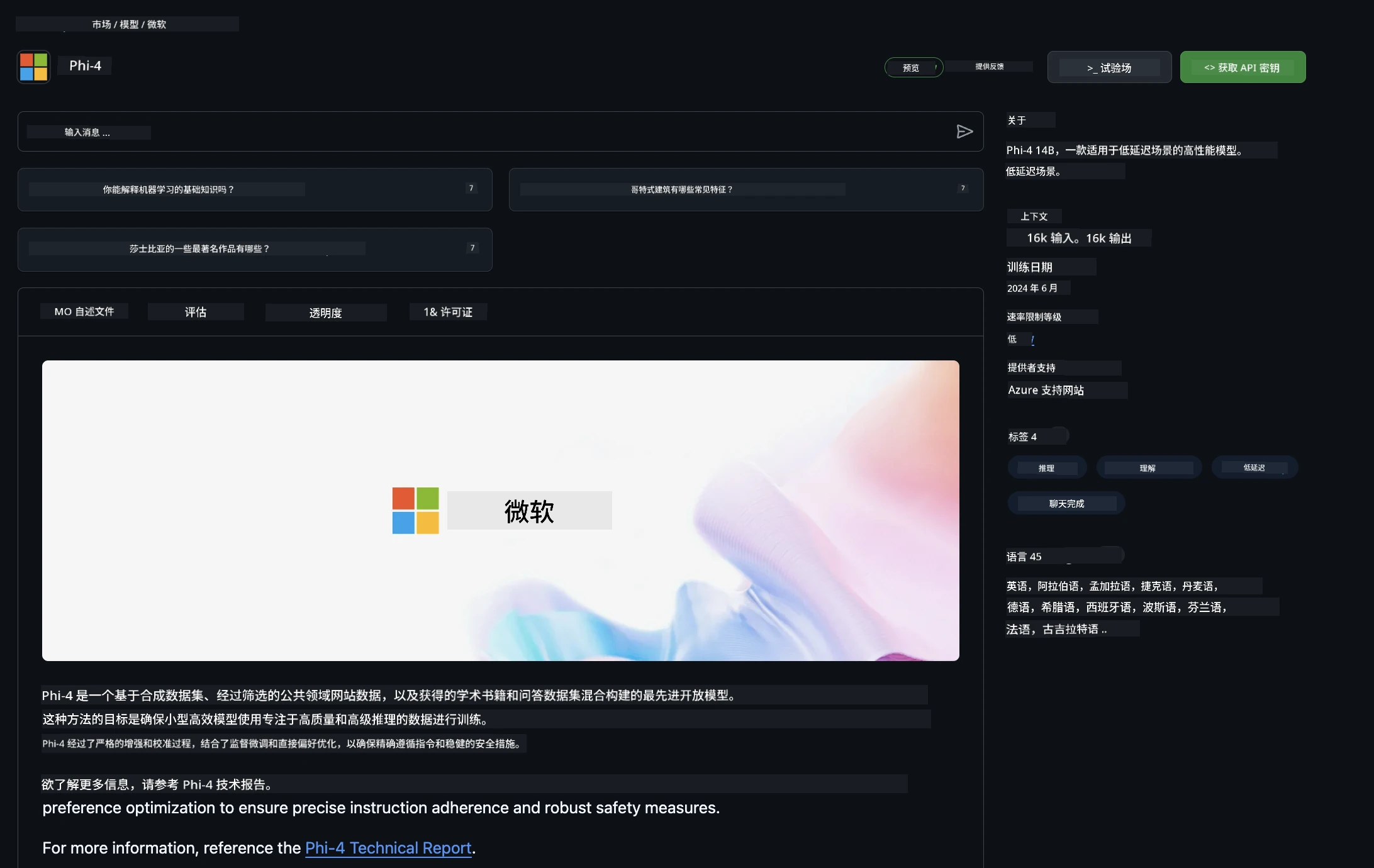
游乐场和免费 API 使用的速率限制旨在帮助你试验模型和快速原型你的 AI 应用。超出这些限制后,若要将应用扩展到生产规模,必须从 Azure 账户配置资源,并从那里进行身份验证,而不是使用你的 GitHub 个人访问令牌。你无需更改代码中的其他内容。请使用此链接了解如何突破 Azure AI 免费层限制。
免责声明
请记住,与你交互的模型仍处于实验阶段,可能会出现内容错误。
该功能受多种限制(包括每分钟请求数、每日请求数、每次请求的 token 数和并发请求数),不适合生产环境使用。
GitHub Models 使用 Azure AI 内容安全。作为 GitHub Models 体验的一部分,这些过滤器无法关闭。如果你选择通过付费服务使用模型,请根据需求配置内容过滤器。
此服务受 GitHub 预发布条款约束。
免责声明:
本文件使用 AI 翻译服务 Co-op Translator 进行翻译。虽然我们力求准确,但请注意,自动翻译可能包含错误或不准确之处。原始文件的母语版本应被视为权威来源。对于重要信息,建议采用专业人工翻译。对于因使用本翻译而产生的任何误解或误释,我们概不负责。