
Chapter 48
实验 2 - 在 AIPC 上使用 Phi-3-mini 运行 Prompt flow
实验 2 - 在 AIPC 上使用 Phi-3-mini 运行 Prompt flow
什么是 Prompt flow
Prompt flow 是一套开发工具,旨在简化基于大语言模型(LLM)的 AI 应用从构思、原型设计、测试、评估到生产部署和监控的端到端开发流程。它让提示工程变得更加简单,帮助你构建具备生产质量的 LLM 应用。
使用 prompt flow,你可以:
-
创建将 LLM、提示、Python 代码及其他工具连接在一起的可执行工作流。
-
轻松调试和迭代你的工作流,特别是与 LLM 的交互部分。
-
评估你的工作流,使用更大数据集计算质量和性能指标。
-
将测试和评估集成到你的 CI/CD 系统中,确保工作流质量。
-
将工作流部署到你选择的服务平台,或轻松集成到你的应用代码库中。
-
(可选但强烈推荐)通过 Azure AI 上的云版本 Prompt flow 与团队协作。
什么是 AIPC
AI PC 拥有 CPU、GPU 和 NPU,每个都具备特定的 AI 加速能力。NPU(神经处理单元)是一种专门的加速器,能够在你的电脑上直接处理人工智能(AI)和机器学习(ML)任务,而无需将数据发送到云端。GPU 和 CPU 也能处理这些任务,但 NPU 在低功耗 AI 计算方面表现尤为出色。AI PC 代表了我们电脑操作方式的根本转变。它不是为了解决之前不存在的问题,而是为日常 PC 使用带来巨大提升。
那么它是如何工作的呢?相比于基于大量公共数据训练的大型生成式 AI 和大语言模型(LLM),在你的 PC 上运行的 AI 在几乎所有层面上都更易于接触。这个概念更容易理解,而且因为它基于你的数据训练,无需访问云端,带来的好处对更广泛的人群更具吸引力。
在短期内,AI PC 领域涉及个人助理和较小的 AI 模型直接在你的 PC 上运行,利用你的数据为你日常的工作提供个性化、私密且更安全的 AI 增强——比如会议记录、组织幻想足球联盟、自动优化照片和视频编辑,或者根据每个人的到达和离开时间规划完美的家庭聚会行程。
在 AIPC 上构建生成代码流程
注意 :如果你还未完成环境安装,请访问 Lab 0 -Installations
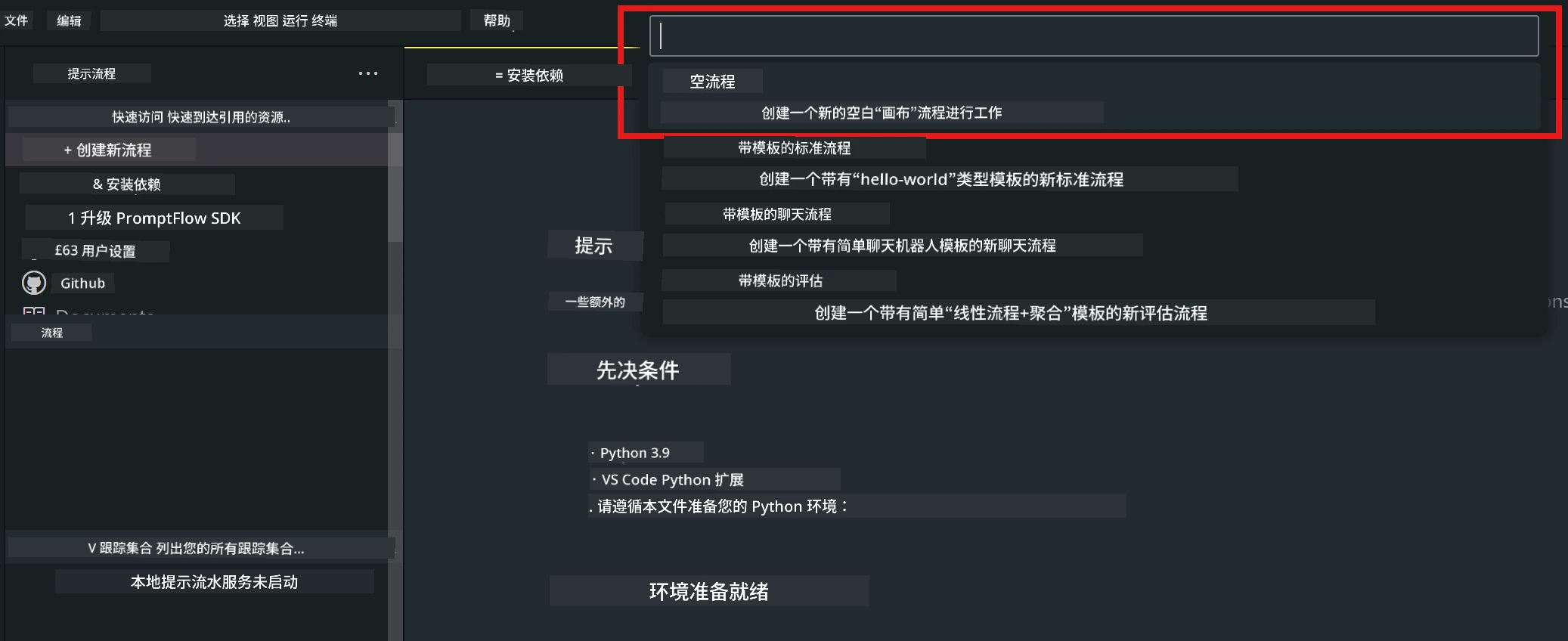
- 在 Visual Studio Code 中打开 Prompt flow 扩展,创建一个空白流程项目
- 添加输入和输出参数,并添加 Python 代码作为新的流程
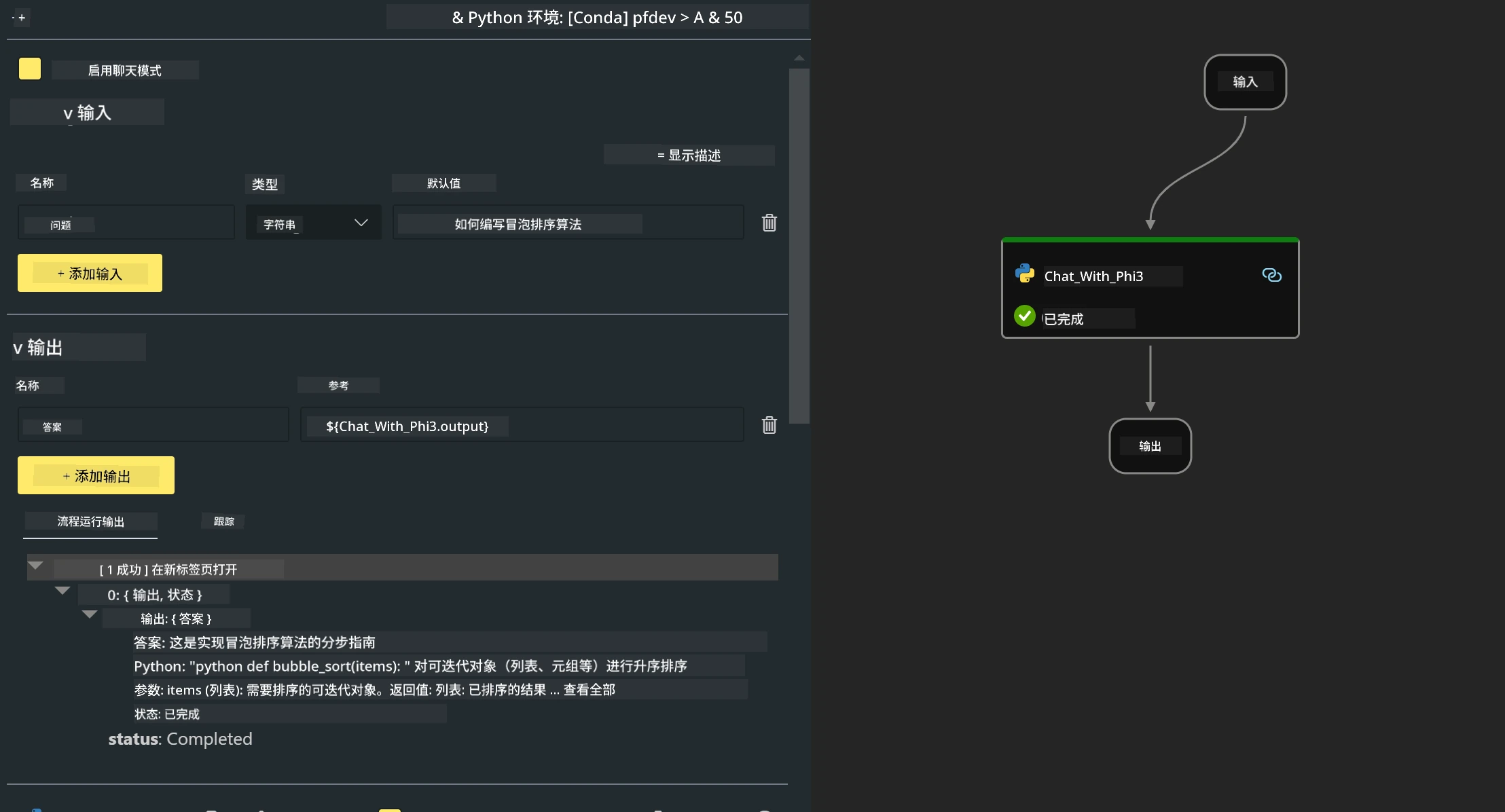
你可以参考此结构(flow.dag.yaml)来构建你的流程
inputs:
  question:
    type: string
    default: how to write Bubble Algorithm
outputs:
  answer:
    type: string
    reference: ${Chat_With_Phi3.output}
nodes:
- name: Chat_With_Phi3
  type: python
  source:
    type: code
    path: Chat_With_Phi3.py
  inputs:
question: ${inputs.question}- 在 Chat_With_Phi3.py 中添加代码
from promptflow.core import tool

# import torch
from transformers import AutoTokenizer, pipeline,TextStreamer
import intel_npu_acceleration_library as npu_lib

import warnings

import asyncio
import platform

class Phi3CodeAgent:

    model = None
    tokenizer = None
    text_streamer = None

    model_id = "microsoft/Phi-3-mini-4k-instruct"

    @staticmethod
    def init_phi3():

        if Phi3CodeAgent.model is None or Phi3CodeAgent.tokenizer is None or Phi3CodeAgent.text_streamer is None:
            Phi3CodeAgent.model = npu_lib.NPUModelForCausalLM.from_pretrained(
                                    Phi3CodeAgent.model_id,
                                    torch_dtype="auto",
                                    dtype=npu_lib.int4,
                                    trust_remote_code=True
                                )
            Phi3CodeAgent.tokenizer = AutoTokenizer.from_pretrained(Phi3CodeAgent.model_id)
            Phi3CodeAgent.text_streamer = TextStreamer(Phi3CodeAgent.tokenizer, skip_prompt=True)


    @staticmethod
    def chat_with_phi3(prompt):

        Phi3CodeAgent.init_phi3()

        messages = "<|system|>You are a AI Python coding assistant. Please help me to generate code in Python.The answer only genertated Python code, but any comments and instructions do not need to be generated<|end|><|user|>" + prompt +"<|end|><|assistant|>"

        generation_args = {
            "max_new_tokens": 1024,
            "return_full_text": False,
            "temperature": 0.3,
            "do_sample": False,
            "streamer": Phi3CodeAgent.text_streamer,
        }

        pipe = pipeline(
            "text-generation",
            model=Phi3CodeAgent.model,
            tokenizer=Phi3CodeAgent.tokenizer,
            # **generation_args
        )

        result = ''

        with warnings.catch_warnings():
            warnings.simplefilter("ignore")
            response = pipe(messages, **generation_args)
            result =response[0]['generated_text']
            return result

@tool
def my_python_tool(question: str) -> str:
    if platform.system() == 'Windows':
        asyncio.set_event_loop_policy(asyncio.WindowsSelectorEventLoopPolicy())
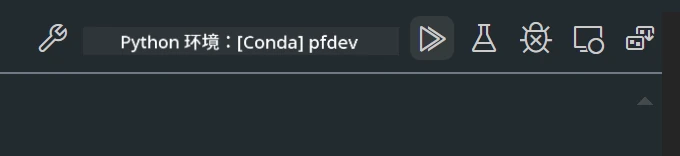
return Phi3CodeAgent.chat_with_phi3(question)- 你可以通过调试或运行来测试流程,检查生成代码是否正常
- 在终端运行流程作为开发 API
pf flow serve --source ./ --port 8080 --host localhost 你可以在 Postman / Thunder Client 中测试
注意
-
第一次运行时间较长,建议通过 Hugging face CLI 下载 phi-3 模型。
-
考虑到 Intel NPU 计算能力有限,建议使用 Phi-3-mini-4k-instruct。
-
我们使用 Intel NPU 加速进行 INT4 量化转换,但如果重新运行服务,需要删除 cache 和 nc_workshop 文件夹。
资源
-
学习 Promptflow https://microsoft.github.io/promptflow/
-
学习 Intel NPU 加速 https://github.com/intel/intel-npu-acceleration-library
-
示例代码,下载 Local NPU Agent Sample Code
免责声明:
本文件使用 AI 翻译服务 Co-op Translator 进行翻译。虽然我们力求准确,但请注意,自动翻译可能包含错误或不准确之处。原始文件的母语版本应被视为权威来源。对于重要信息,建议使用专业人工翻译。对于因使用本翻译而产生的任何误解或误释,我们不承担任何责任。