Chapter 12
🎙️ AI 播客工作室研讨会
🎙️ The AI Podcast Studio Workshop
Your Mission
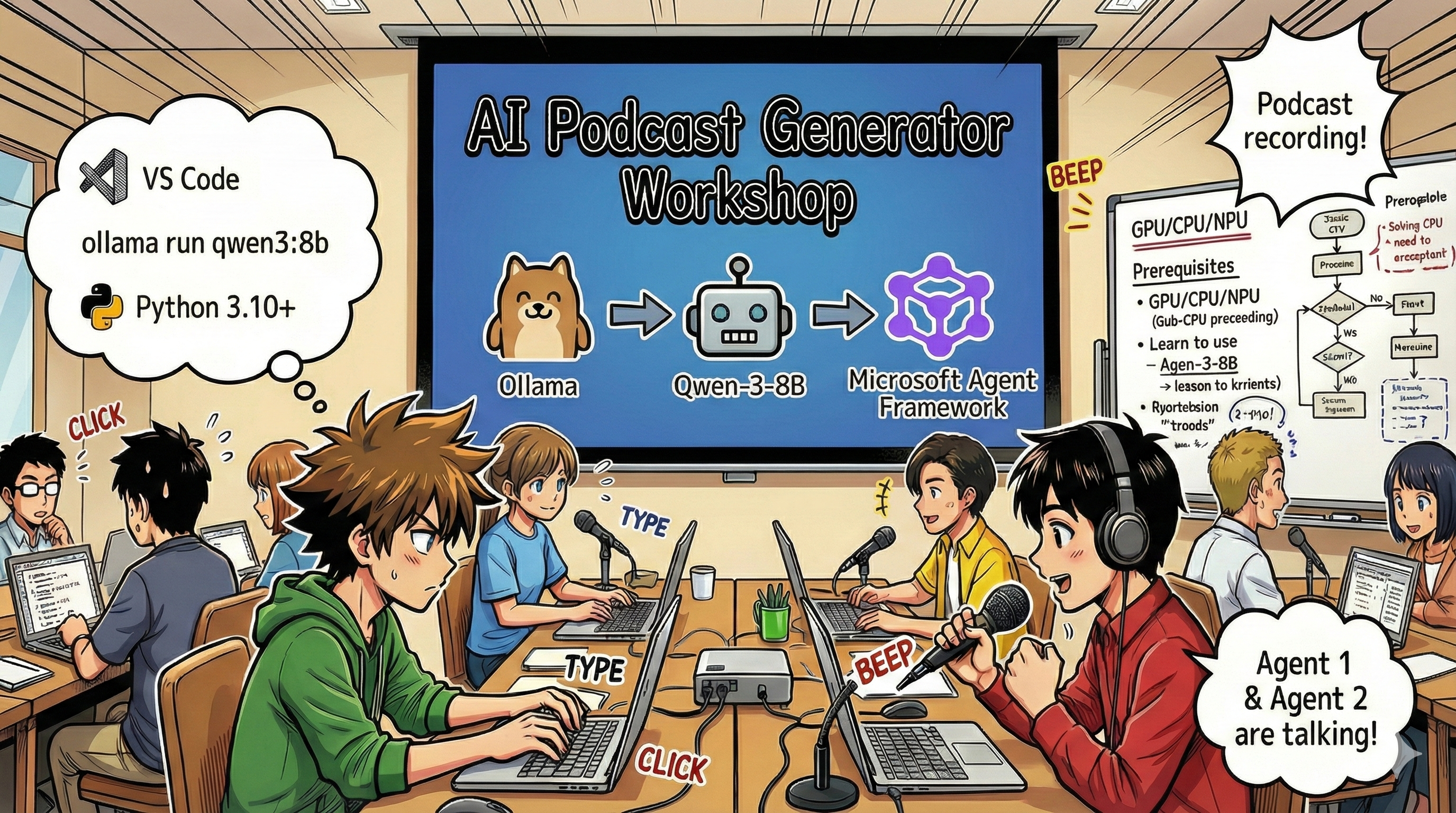
Welcome to The AI Podcast Studio! You're about to launch your own tech podcast called "Future Bytes" — but here's the twist: you'll build an AI-powered production team to help you create it. No more endless hours of research, scriptwriting, and audio editing. Instead, you'll code your way to becoming a podcast producer with AI superpowers.
The Story
Imagine this: You and your friends want to start a podcast about the coolest tech trends, but everyone's busy with school, work, or just life. What if you could build a team of AI agents to do the heavy lifting? One agent researches topics, another writes engaging scripts, and a third turns text into natural-sounding conversations. Sound like sci-fi? Let's make it real.
What You'll Learn
By the end of this workshop, you'll know how to:
- 🤖 Deploy your own local AI model (no API costs, no cloud dependency!)
- 🔧 Build specialized AI agents that actually work together
- 🎬 Create a complete podcast production pipeline from idea to audio
Your Journey: Three Acts
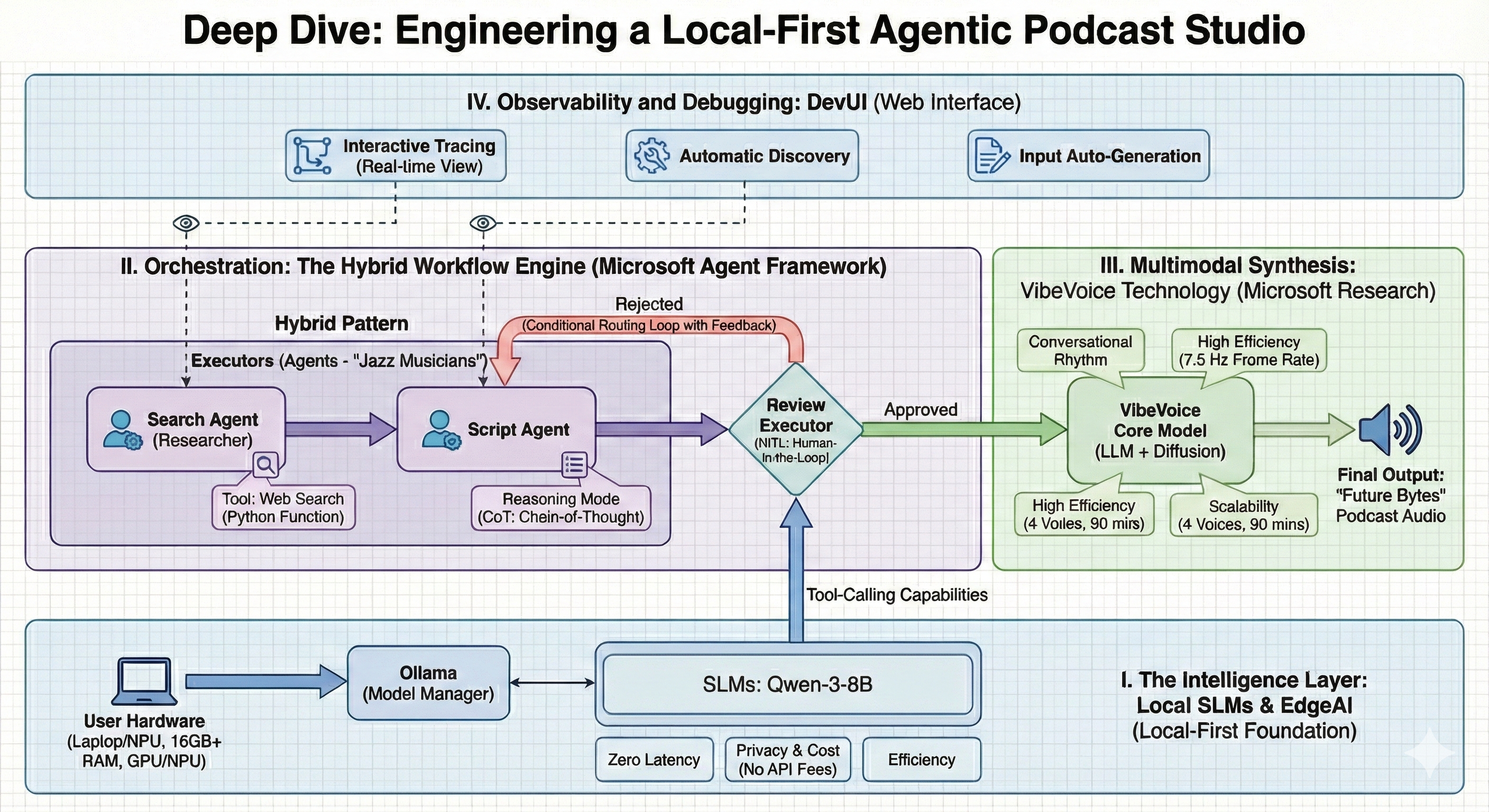
Like any good story, we've got three acts. Each one builds your AI podcast studio piece by piece:
| Episode | Your Quest | What Happens | Skills Unlocked |
|---|---|---|---|
| Act 1 | Meet Your AI Assistants | You discover how to create AI agents that can chat, search the web, and even solve problems. Think of them as your research interns who never sleep. | 🎯 Build your first agent🛠️ Give it superpowers (tools!)🧠 Teach it to think🌐 Connect it to the internet |
| Act 2 | Assemble Your Production Team | Now things get interesting! You'll orchestrate multiple AI agents to work together like a real podcast team. One researches, one writes, you approve — teamwork makes the dream work. | 🎭 Coordinate multiple agents🔄 Build approval workflows🖥️ Test with DevUI interface✋ Keep humans in control |
| Act 3 | Bring Your Podcast to Life | The finale! Transform your text scripts into actual podcast audio with realistic voices and natural conversations. Your "Future Bytes" podcast is ready to ship! | 🎤 Text-to-speech magic👥 Multiple speaker voices⏱️ Long-form audio🚀 Full automation |
Each act unlocks new abilities. Skip ahead if you're brave, but we recommend following the story!
Environment Requirements
This workshop supports various hardware environments:
- CPU: Suitable for testing and small-scale usage
- GPU: Recommended for production environments, significantly improves inference speed
- NPU: Supports next-generation neural processing unit acceleration
What You'll Need
Software Checklist ✅
- Python 3.10+ (Your coding language)
- Ollama (Runs AI models on your machine)
- VS Code (Your code editor)
- Python Extension (Makes VS Code smarter)
- Git (For grabbing code)
Hardware Check 💻
- Can I run this?: 8GB RAM, 10GB free space (works, but might be slow)
- Ideal setup: 16GB+ RAM, a decent GPU (smooth sailing!)
- Got an NPU?: Even better! Next-gen performance unlocked 🚀
Setup Your Studio 🎬
Step 1: Python Power-Up
Make sure you've got Python 3.10 or newer:
python --version
# Should show Python 3.10.x or higher
No Python? Grab it from python.org — it's free!
Step 2: Get Ollama (Your AI Model Runner)
Head to ollama.ai and download Ollama for your OS. Think of it as the engine that runs your AI models locally.
Check if it's ready:
ollama --versionStep 3: Download Your AI Brain 🧠
Time to grab the Qwen-3-8B model (it's like hiring your first AI assistant):
ollama pull qwen3:8bThis might take a few minutes. Perfect time for a coffee break! ☕
Step 4: Set Up VS Code
Grab Visual Studio Code if you don't have it. It's the best code editor around (fight me 😄).
Step 5: Python Extension
In VS Code:
- Hit
Ctrl+Shift+X(orCmd+Shift+Xon Mac) - Search "Python"
- Install the official Microsoft Python extension
Step 6: You're All Set! 🎉
Seriously, you're ready to rock. Let's build some AI magic!
Step 7: Install Microsoft Agent Framework and Related Packages 📦
Install all required dependencies for the workshop:
pip install -r ./Installations/requirements.txt -UThis will install Microsoft Agent Framework and all necessary packages. Grab a coffee — first-time setup might take a few minutes! ☕
Workshop Instructions
Detailed project structure, configuration steps, and execution methods will be explained step-by-step during the workshop.
Troubleshooting (When Things Go Wrong) 🔧
"Ugh, the model download is taking forever!"
Fix: Use a VPN or configure Ollama with a mirror source. Sometimes the internet just hates us.
"My computer is dying! Out of memory!"
Fix: Switch to a smaller model or tweak the num_ctx setting to use less memory. Think of it as putting your AI on a diet.
"Can I make this faster with my GPU?"
Fix: Ollama auto-detects GPUs! Just make sure your GPU drivers are up to date. Free speed boost! 🏎️
Extra Resources (For the Curious) 📚
- Ollama Docs — Deep dive into local AI models
- Microsoft Agent Framework — Learn more about building agent teams
- Qwen Model Info — Meet your AI assistant's brain
License
MIT License — Build cool stuff, share it, make the world better! 🌍
Want to Contribute?
Found a bug? Got an idea? Drop an Issue or PR! We love community vibes. ✨