
Chapter 77
8-gemma4-E4B-it 模型服务部署
8-gemma4-E4B-it 模型服务部署
GGUF 仓库(llama.cpp / Lemonade 等):ggml-org/gemma-4-E4B-it-GGUF。简介见 Gemma 4 博文。
基础环境准备
本文基础环境如下:
code
----------------
Windows11
CPU AI 395
内存 128G
----------------
请确定AMD芯片的版本,目前支持AI 395和 AI 370
下载 lemonade-server 进行安装
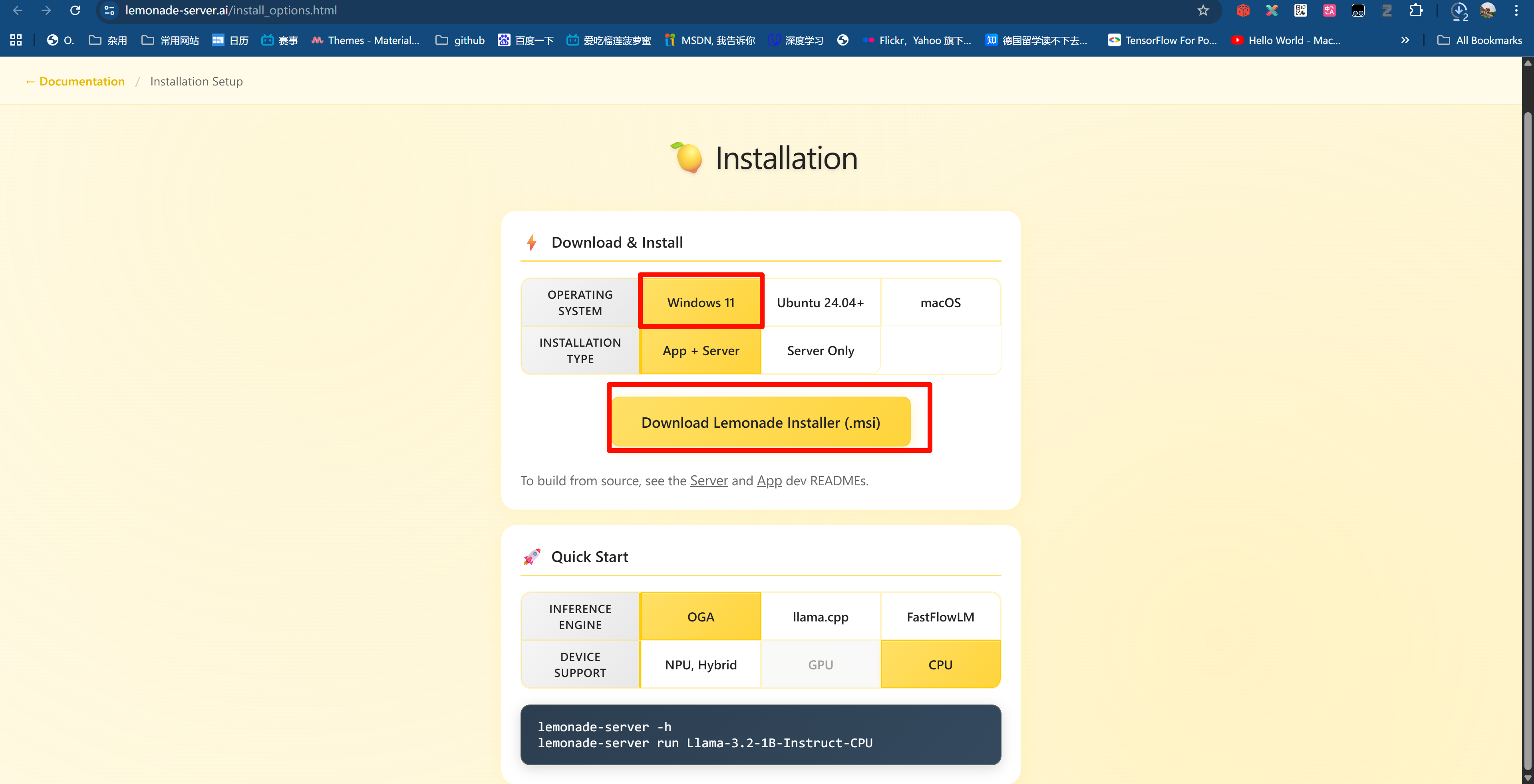
NPU 需要配备 AMD Ryzen AI 300 系列的 Windows 11 电脑及驱动安装。请先下载并安装 NPU 驱动程序,再继续操作,请参考 7-gemma4-E4B-it AMD环境准备.md
首先 pip 换源加速下载并安装依赖包
shell
# 升级pip
python -m pip install --upgrade pip
# 更换 pypi 源加速库的安装
pip config set global.index-url https://pypi.tuna.tsinghua.edu.cn/simple

pip install -U huggingface_hub
pip install lemonade-sdk[dev]
模型下载
在 Windows Powershell 下输入以下配置镜像站
$env:HF_ENDPOINT = "https://hf-mirror.com"
使用 huggingface_hub 中的 snapshot_download 函数下载模型,第一个参数为模型名称,参数 cache_dir 为模型的下载路径。
新建 model_download.py 文件并在其中输入以下内容,粘贴代码后请及时保存文件,如下图所示。并运行 python model_download.py ggml-org/gemma-4-E4B-it-GGUF "C:\Users\aup\.cache\huggingface\hub\gemma-4-E4B-it-GGUF" 执行下载。
python
#!/usr/bin/env python
"""
使用 Python API 下载 Hugging Face 模型
"""
import os
from huggingface_hub import snapshot_download

def download_model(repo_id: str, local_dir: str = None, resume_download: bool = True):
    """
    下载 Hugging Face 模型

    Args:
        repo_id: 模型仓库ID,例如 "ggml-org/gemma-4-E4B-it-GGUF"
        local_dir: 本地保存目录,如果为None则使用默认缓存目录
        resume_download: 是否支持断点续传
    """
    print(f"开始下载模型: {repo_id}")
    print(f"保存位置: {local_dir if local_dir else '默认缓存目录'}")

    try:
        # 如果指定了本地目录,使用它;否则使用默认缓存
        if local_dir:
            cache_dir = os.path.dirname(local_dir) if os.path.dirname(local_dir) else None
            local_dir_use = local_dir
        else:
            cache_dir = None
            local_dir_use = None

        # 下载模型
        downloaded_path = snapshot_download(
            repo_id=repo_id,
            local_dir=local_dir_use,
            cache_dir=cache_dir,
            resume_download=resume_download,
            local_files_only=False
        )

        print(f"\n✓ 模型下载完成!")
        print(f"保存路径: {downloaded_path}")
        return downloaded_path

    except Exception as e:
        print(f"\n✗ 下载失败: {str(e)}")
        raise

if __name__ == "__main__":
    import sys

    # 默认下载的模型
    repo_id = "ggml-org/gemma-4-E4B-it-GGUF"

    # 如果提供了命令行参数,使用它作为模型ID
    if len(sys.argv) > 1:
        repo_id = sys.argv[1]

    # 可选:指定本地保存目录
    local_dir = None
    if len(sys.argv) > 2:
        local_dir = sys.argv[2]

    download_model(repo_id, local_dir)
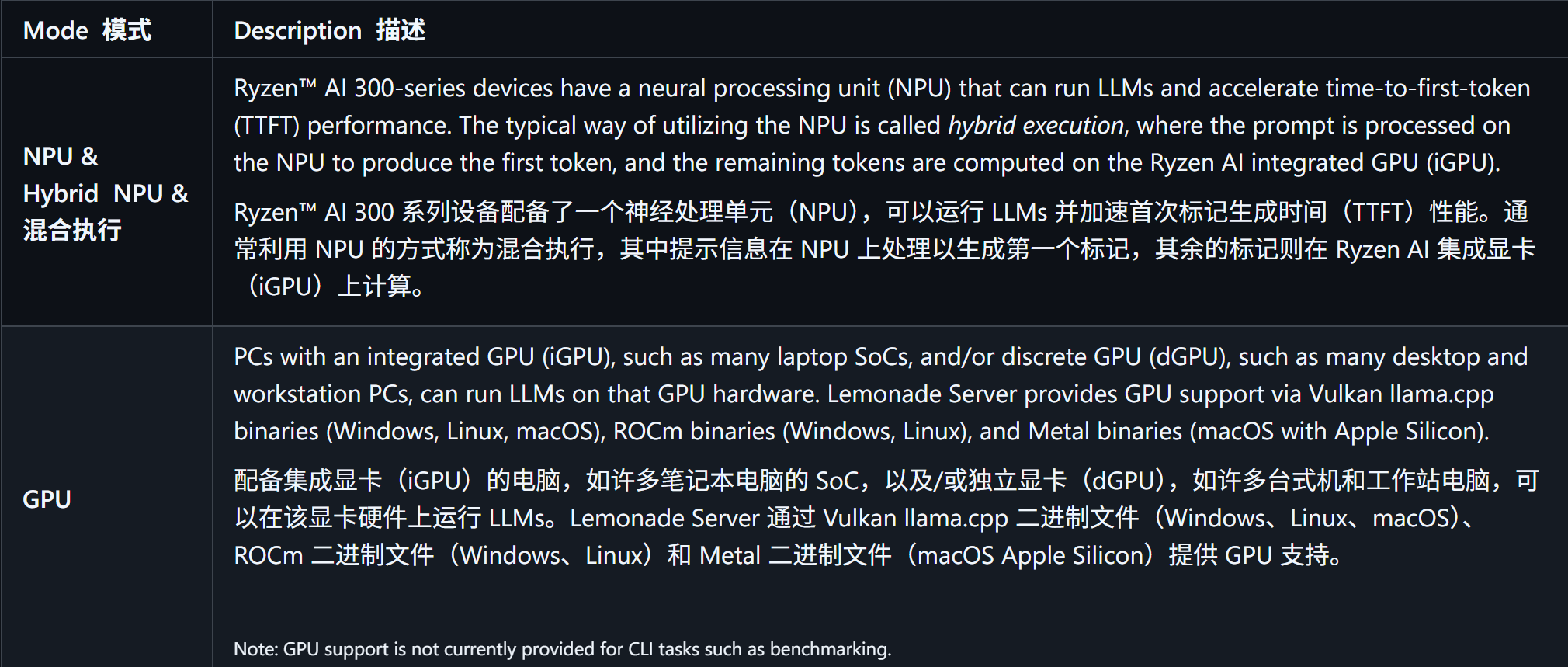
支持的硬件加速器
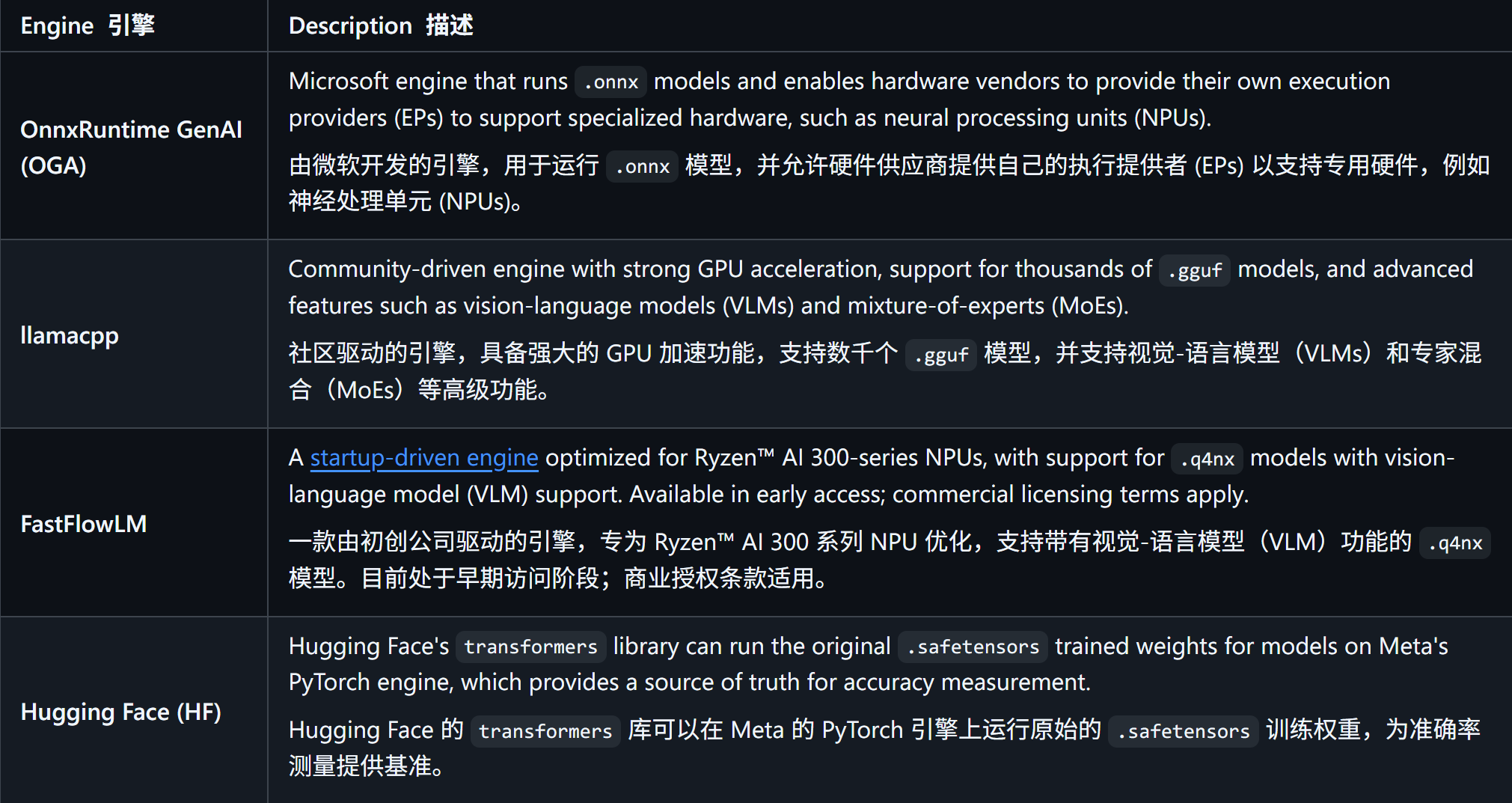
支持的推理引擎
启动服务
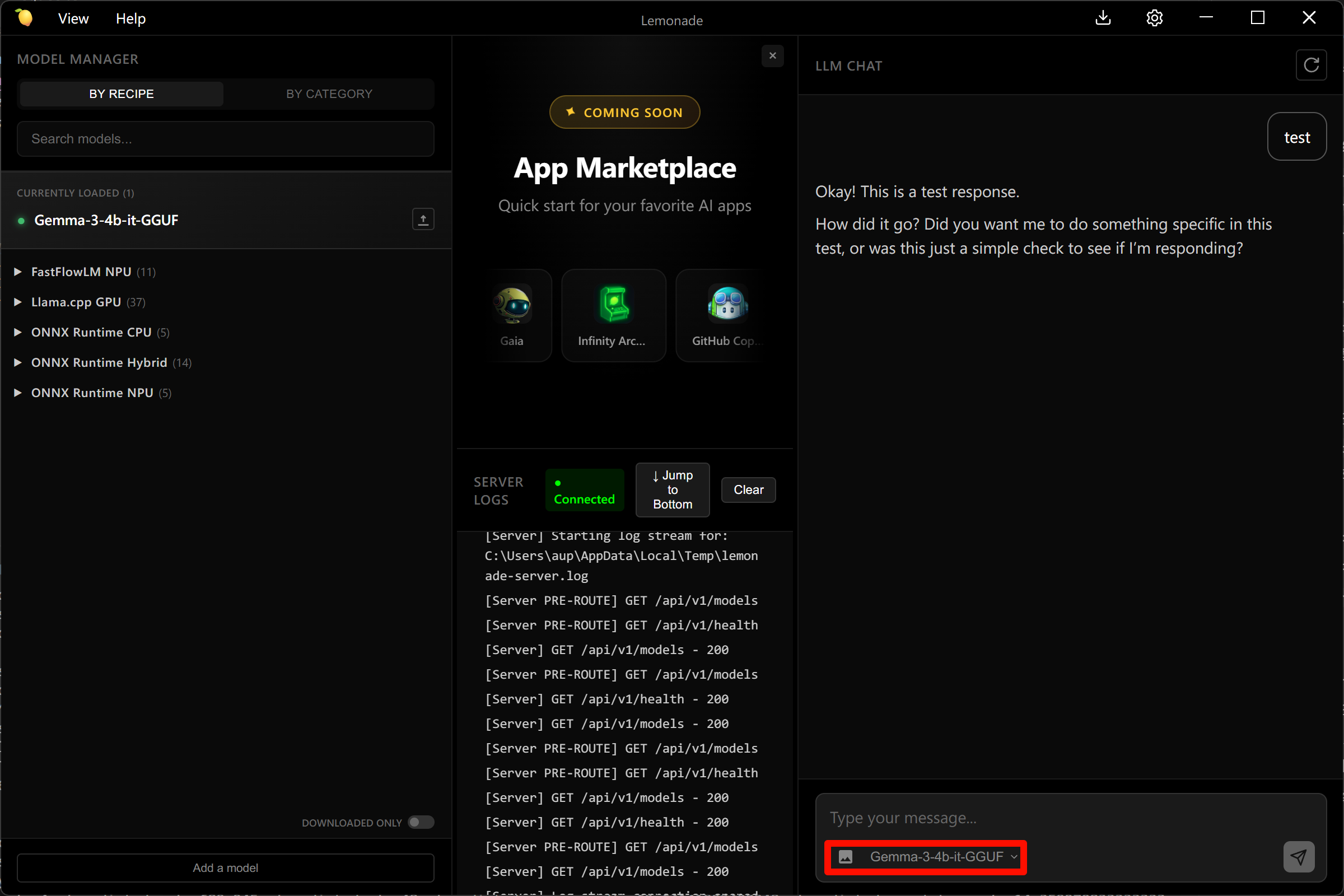
在菜单栏里输入 Lemonade Server 启动,点击菜单里中对应的图标
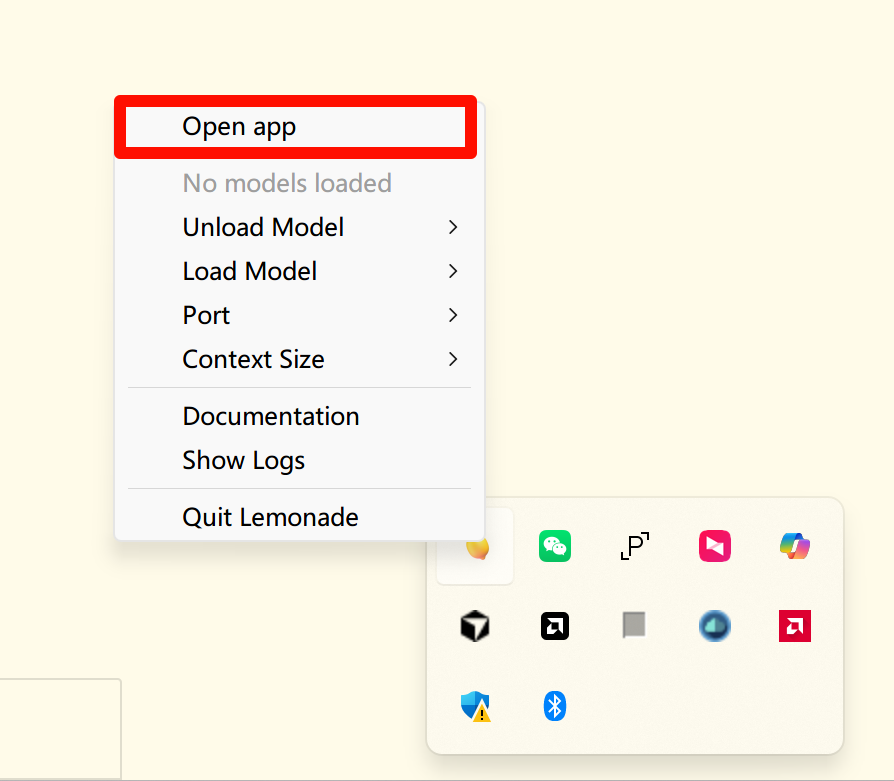
然后选中对应的模型即可启动,可以对外输出兼容OpenAI的服务接口
服务测试
新建 test.py 文件并在其中输入以下内容,粘贴代码后请及时保存文件。以下代码有很详细的注释,大家如有不理解的地方,欢迎提出 issue 。
python
# Client library provided by OpenAI to automate request
# and response processing with the server
from openai import OpenAI

# The base_url points to an LLM server, which can either be
# local (localhost address) or cloud-based (web address)
base_url = f"http://localhost:8000/api/v1"

# The `client` instance here provides APIs to request
# LLM invocations from the server
client = OpenAI(
    base_url=base_url,
    api_key="lemonade",  # required, but unused in Lemonade
)

# The `messages` list provides the history of messages from
# the system, assistant, and user roles
messages = [
    {"role":"system", "content":"You are a helpful assistant."},
    {"role":"user", "content":"Hi, how are you?"},
]

# This is the API call that sends the `messages` history to
# the server's specific LLM `model`
# It returns a `completion`, which is OpenAI's way of referring
# to the LLM's reponse to the messages
completion = client.chat.completions.create(
    model="gemma-4-E4B-it-GGUF",
    messages=messages,
)

# This code gets the LLM's response from the `completion`
# and prints it to the screen
response = completion.choices[0].message.content
print(response)
返回结果如下
